
Point of sale with electronic invoicing · República Dominicana
PlutoPOS
Every sale, already a fiscal document
PlutoPOS issues the DGII electronic fiscal document as part of ringing up the sale: correct NCF, correct ITBIS, no second system to re-key into. Register, inventory across branches, customer credit and 24 reports come with it. All in the cloud, from any browser.
Hardware stores, shops, pharmacies and retailers with one or several branches that invoice with fiscal receipts.
How it works
Every sale, already a fiscal document.
Set up the business
Company details and RNC, your DGII-authorized NCF ranges and expiry dates, the ITBIS rate and your locations.
Load the catalog
Import products, customers and suppliers from the spreadsheet you already have. Prices, costs, reorder levels and barcode labels.
Add the team
Employees assigned to their locations with exactly the areas they need. Register only, for cashiers.
Start selling
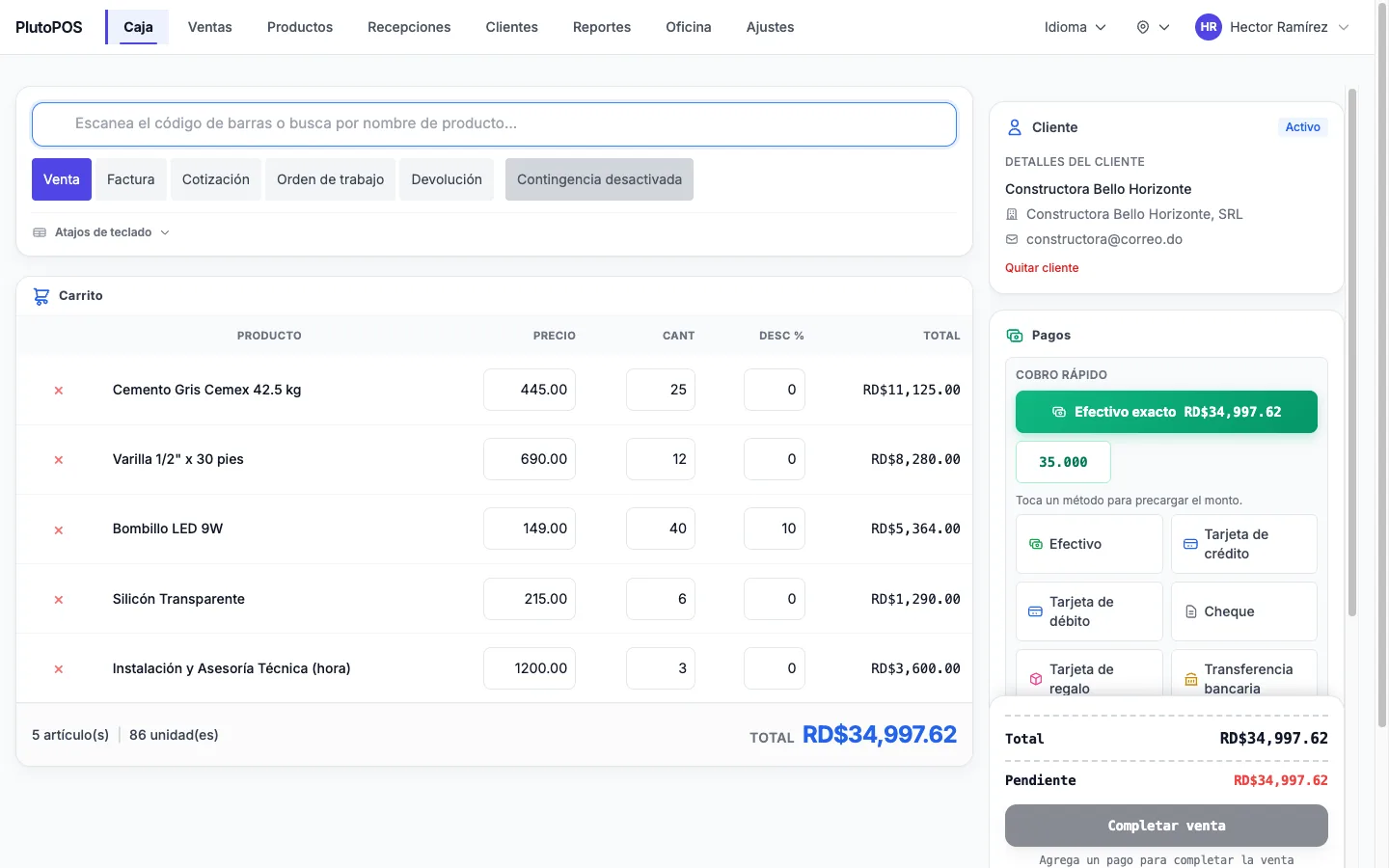
Scan, take payment, print. PlutoPOS assigns the NCF, works out the ITBIS, signs the e-CF and sends it to DGII in the background.
Close the day and the month
Reconcile the drawer against recorded payments, watch the dashboard and pull your 606/607/608/609 data when the month ends.
Built in
Everything the operation runs on
Five document types
Sale, invoice, quote, work order and return from one screen, plus credit notes linked back to the original sale.
Split tender, eight methods
Cash, credit, debit, check, gift card, bank transfer, QR wallet and on-account, in any combination on one ticket.
No duplicate sales
If the connection drops on confirmation, the retry never charges twice or burns a second NCF.
Correct NCF, always
Each series advances in order without duplicates or gaps, even with several registers ringing at the same second. If a series is exhausted or expired, the sale stops rather than going out with an invalid number.
Signed e-CF and contingency
The electronic document is built and signed with your certificate. If DGII is unreachable, switch to the B14 series and keep invoicing; documents are resent automatically.
RNC validated at the counter
A mistyped tax ID is caught at the counter instead of at filing time.
Stock per branch
Each location holds its own quantities and one shared definition of on-hand stock feeds every screen. Transfers go draft → in transit → received.
Kits, attributes, labels
Bundles that expand at the register, six types of custom attribute and your own Code39 / Code128 / EAN-13 / UPC-A labels.
Credit that reconciles
An append-only ledger of every charge and payment, a statement you can hand over and a check that flags any disagreement with the balance.
Supplier NCFs captured
Receive stock through a register-style cart and record the supplier's NCF as it arrives, so the 606 has its data.
Every void has a name on it
An append-only audit log records voids, returns, drawer closes, permission changes and fiscal-config changes, with the employee and the IP address.
Invoice from a message
"Facturar a Juan Pérez, RD$500, servicio de instalación" becomes a real invoice with a real NCF, through the same sale path as the register.
The product
Screens from a running system
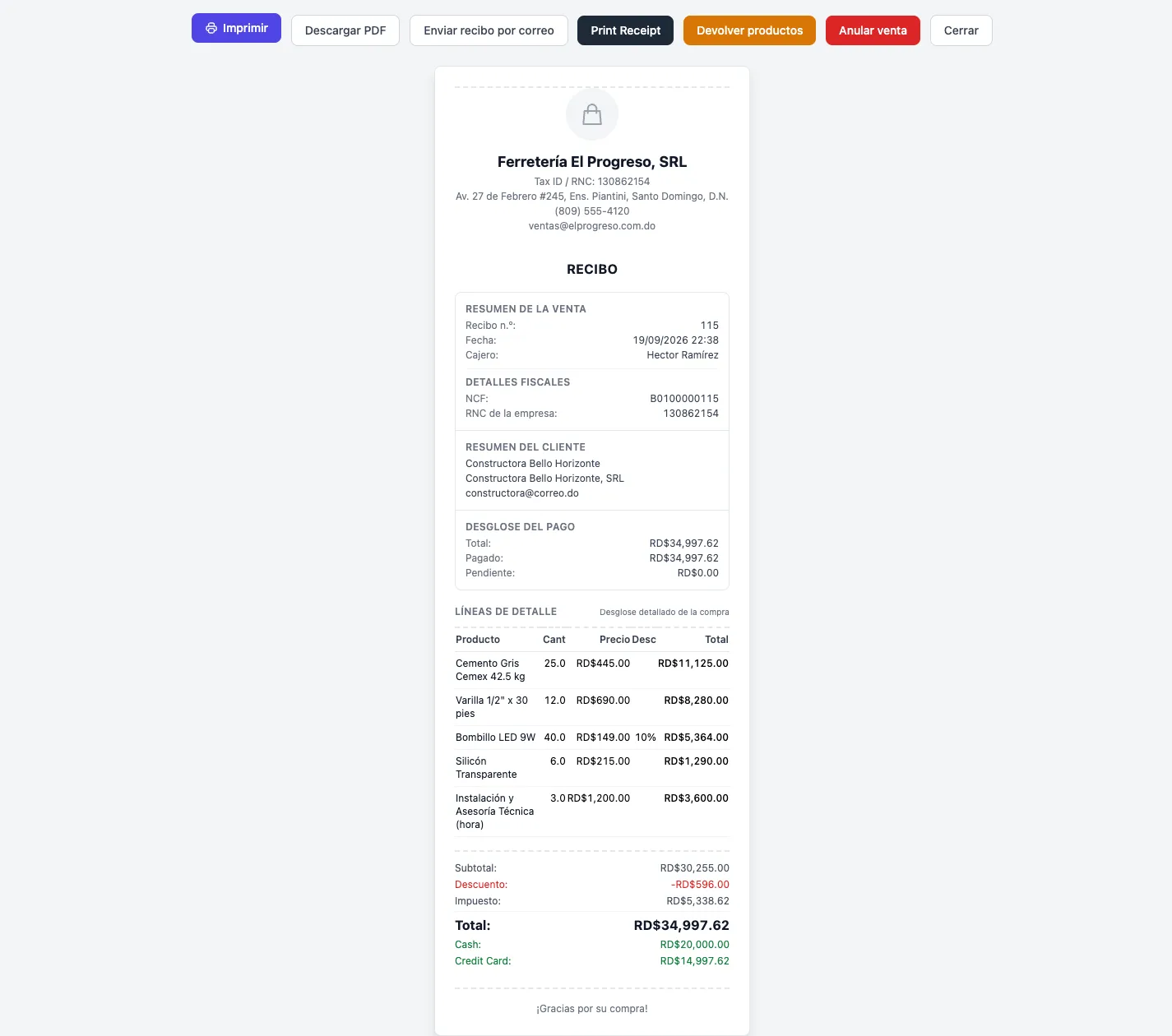
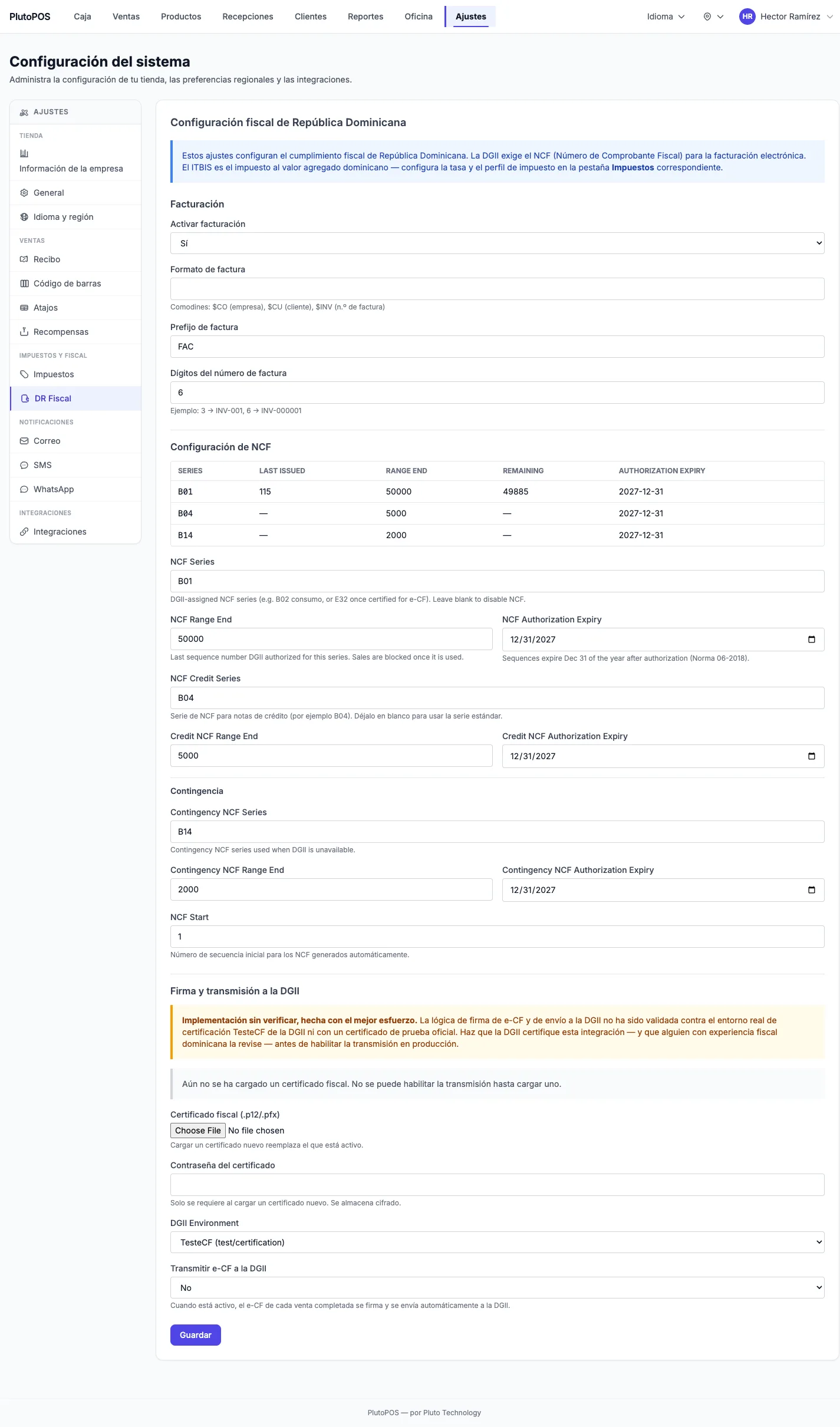
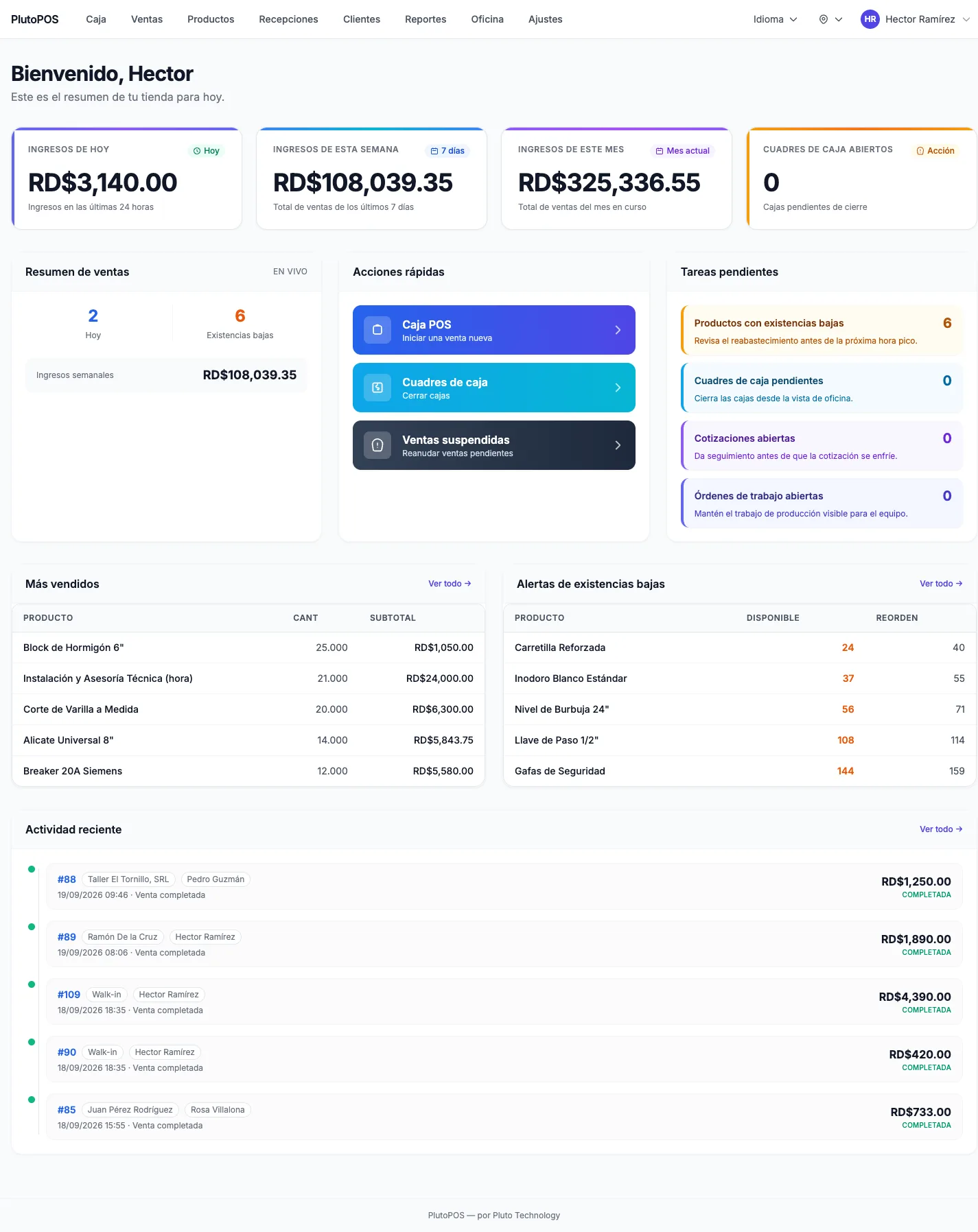
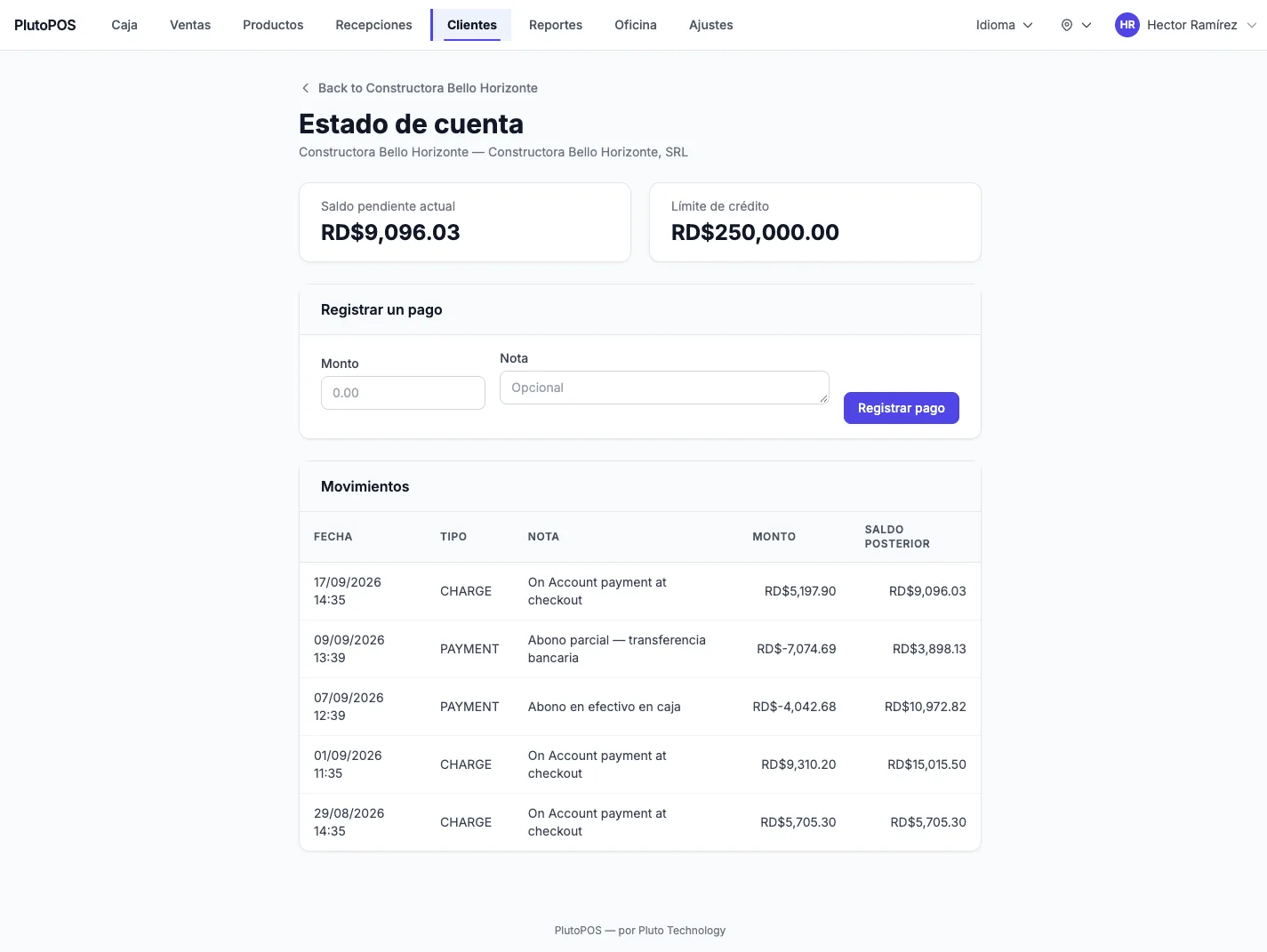
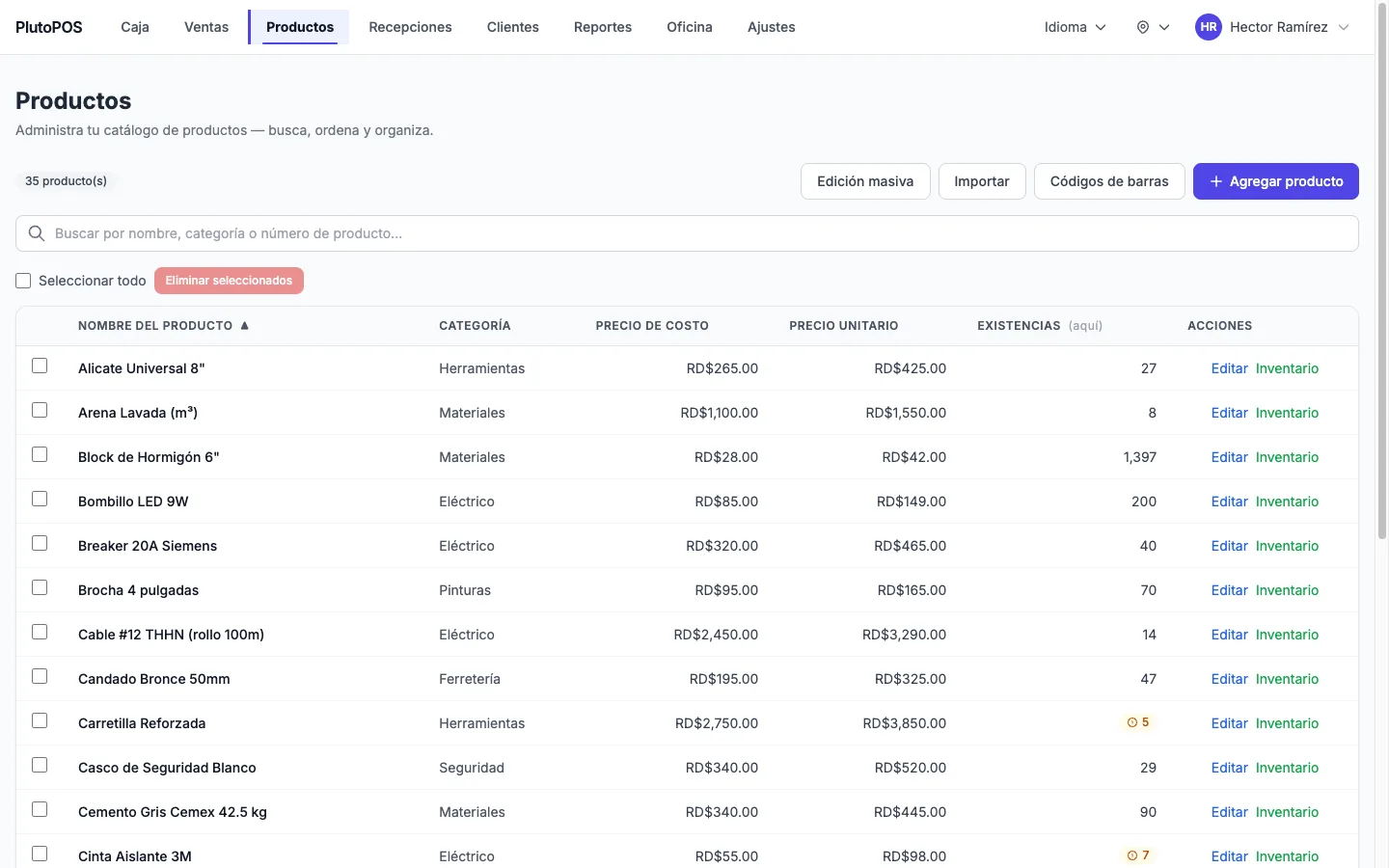
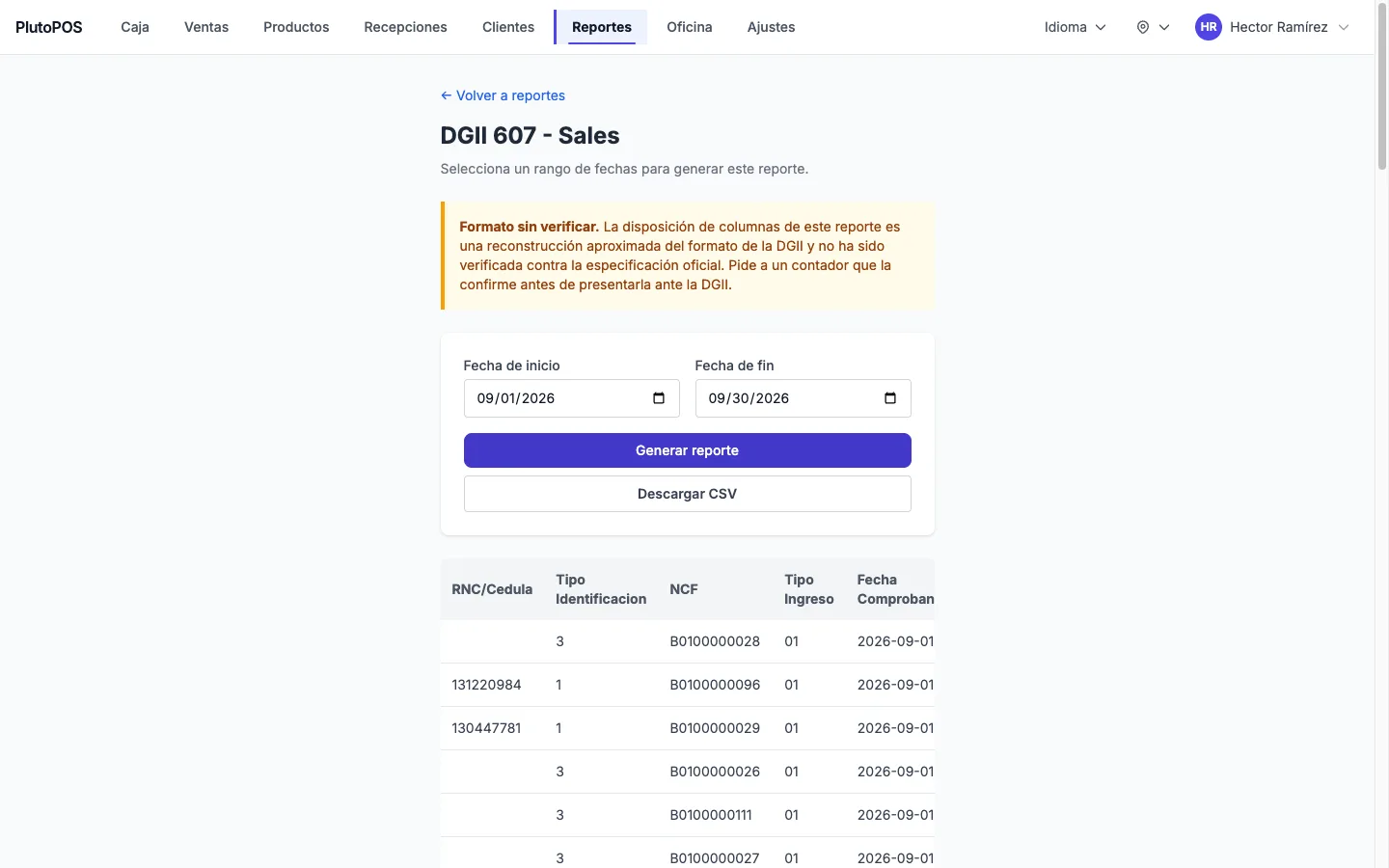
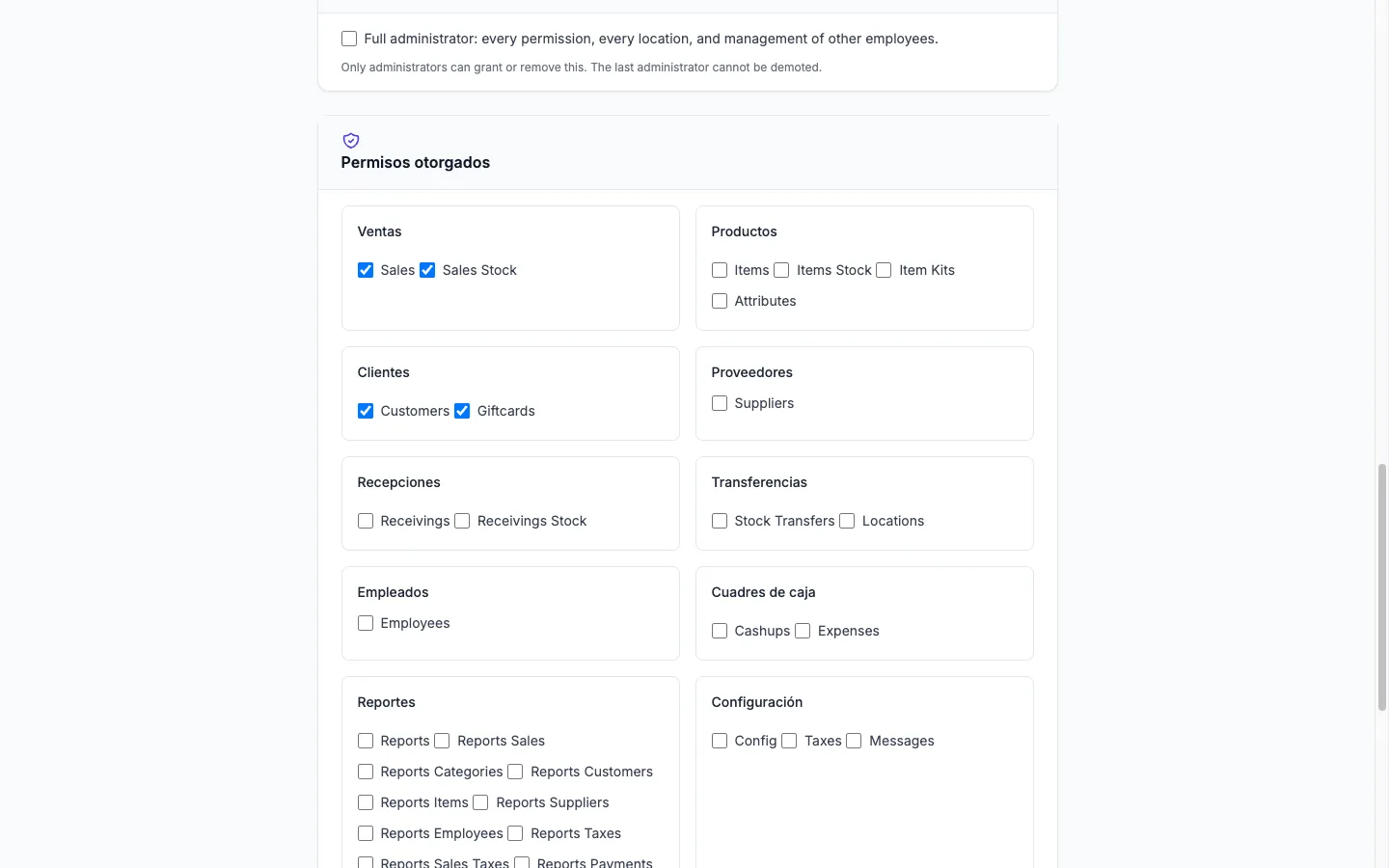
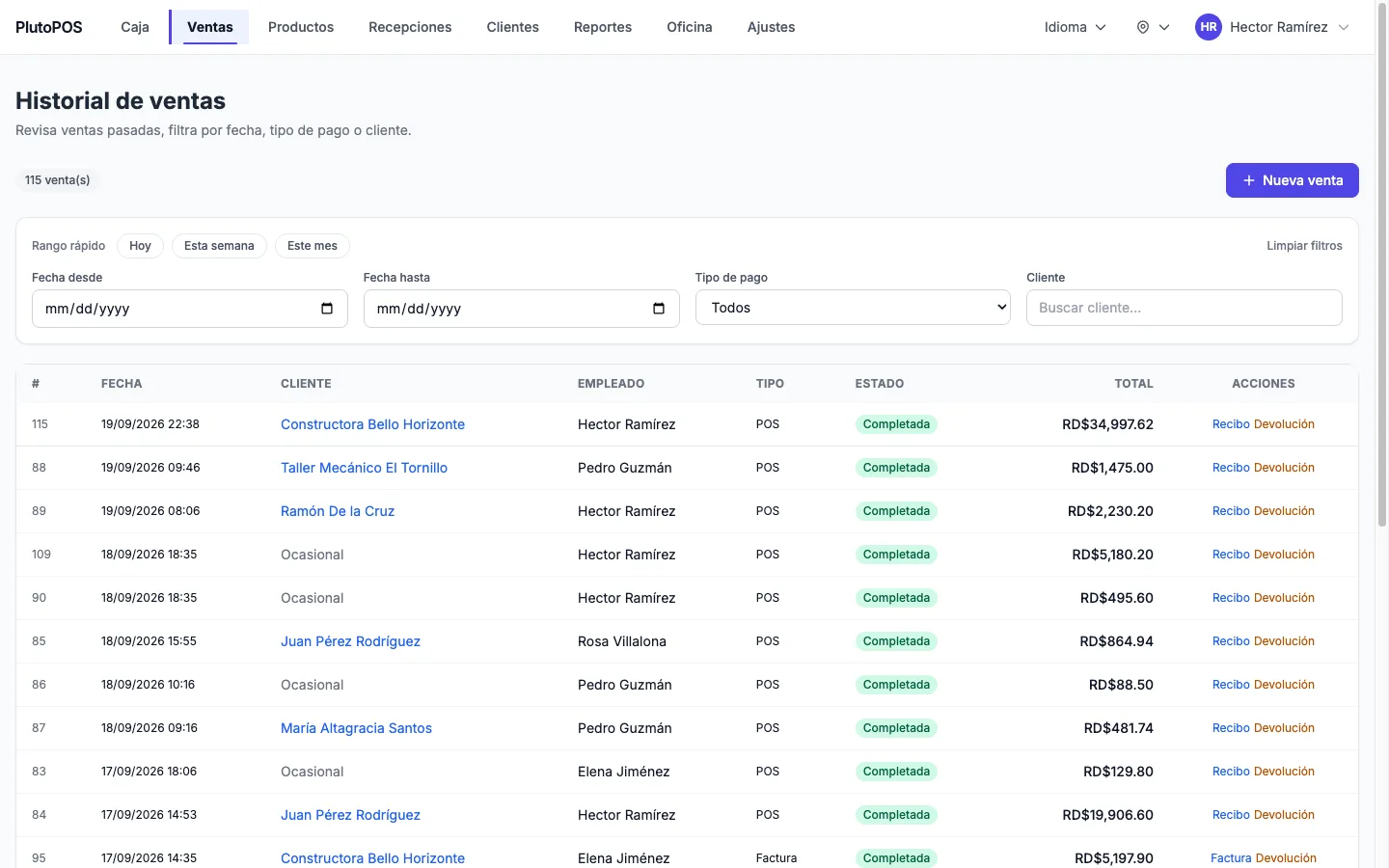
Screenshots captured from a demo instance with fictional data.
Integrity
The controls are in the software, not in a policy
Cloud service
Cloud service, nothing to install on your equipment. Network thermal printing with no drivers. Interface in Spanish, English and Portuguese.
- Store-local fiscal day
- Reports bucket by Santo Domingo time. An 8 pm sale on the 31st lands in the right month.
- Branch enforced
- A submitted location outside the employee's set is rejected by the system, not just hidden.
- No seat limits
- Unlimited locations, employees and registers. No per-terminal fee, no volume cap.
Request a demo
Request a demo of PlutoPOS
We show it with data resembling your operation and answer whatever you need to know before deciding.
Other products
KupaCRM by Pluto Technology
The commercial cycle of a Dominican business, in one system.
For: Service companies, distributors and consultancies that quote, invoice with fiscal receipts and collect on credit.
Learn morePlutos Credit
The loan book, the cash and the day, all closed together.
For: Financieras, casas de préstamos, route and vehicle lenders with hundreds to thousands of active loans across several branches.
Learn more